


In-Ear Headphones may resemble ordinary earbuds, but they can be serious monitoring tools. A properly fitted pair can reduce background noise, deliver a private monitor mix, and reveal details that are difficult to hear through speakers in a noisy room.
Musicians commonly use In-Ear Monitors on stage, but they are also useful for podcast recording, broadcasting, studio tracking, editing, and detailed mix checks. In all these situations, the basic advantage is the same: the sound reaches your ears without competing as much with the room.
However, buying an expensive pair does not guarantee good results. Fit, isolation, latency, source quality, monitoring level, and the balance of the monitor mix can matter just as much as the earphones themselves.
This guide explains how In-Ear Headphones work, what to look for when buying them, and how to set them up safely.
Table of Contents
- What Are In-Ear Headphones?
- Why Fit and Isolation Matter Most
- How to Choose In-Ear Headphones
- How to Set Up In-Ear Headphones
- Safe Listening and Maintenance
- Common In-Ear Headphone Mistakes
- Final Thoughts on In-Ear Headphones
What Are In-Ear Headphones?
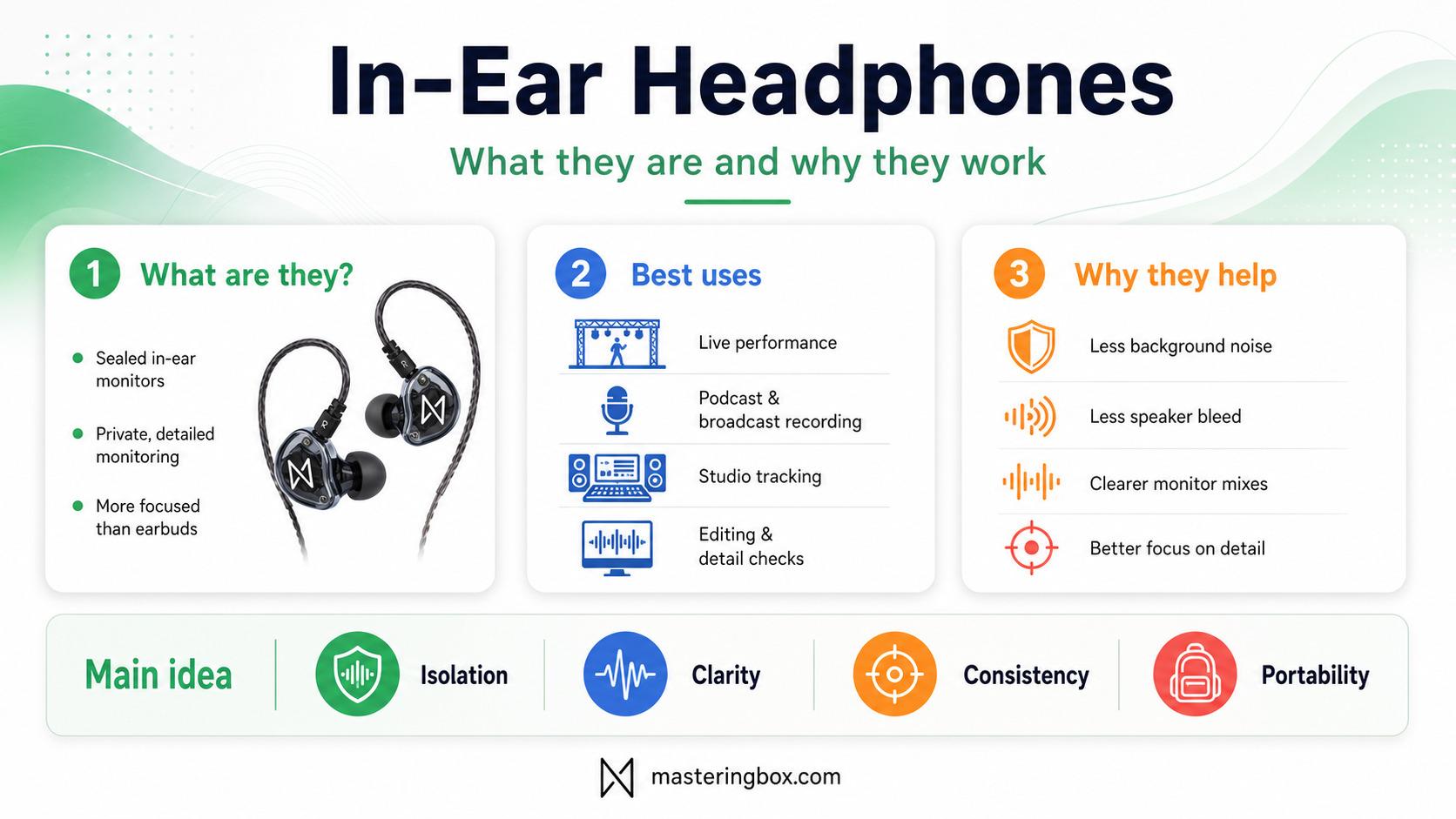
In-Ear Headphones, often called In-Ear Monitors or IEMs, use eartips that seal the entrance to the ear canal. This distinguishes them from traditional earbuds that sit more loosely in the outer ear.
The seal provides passive isolation. It reduces some of the sound around you before that sound reaches your ears, making the monitor signal easier to understand. This can be useful in several situations:
- A singer hearing a personal monitor mix on stage
- A drummer following a click track
- A podcast host monitoring without speaker bleed
- A broadcaster listening to remote contributors
- A musician tracking next to a loud instrument
- An engineer checking edits, noise, clicks, and distortion
On stage, In-Ear Monitors can replace or supplement traditional floor wedges. This may reduce stage volume, make monitoring more consistent, and remove one potential source of microphone feedback.
During podcast or broadcast recording, IEMs keep playback close to the listener rather than projecting it into the room. This reduces the chance of microphones capturing remote-call audio, music, notifications, or a delayed copy of the speaker’s voice. RØDE explains the basic problem in its guide to preventing speaker bleed in microphone setups.
In the studio, IEMs are particularly useful for tracking and editing. Their isolation helps keep click tracks and backing tracks out of microphones, while their close presentation makes small noises easier to identify.
Think of In-Ear Headphones as a microscope. They are excellent for inspecting detail, but you should still step back and check the complete picture.
They are less reliable as your only mixing reference. Speakers interact with the room and allow both ears to hear both channels. IEMs send the left and right channels directly into separate ears, so stereo width, depth, bass, and centre placement can feel different.
Why Fit and Isolation Matter Most
The most important feature of an IEM is not its driver count or published frequency range. It is whether the earpiece fits correctly and maintains a reliable seal.
A poor seal allows low-frequency energy to escape. The result may sound thin, bright, or weak, even when the IEM itself is capable of producing plenty of bass.
Before adjusting EQ or replacing the earphones, try different eartips. One ear may even require a different size from the other. A good fit should provide:
- Similar bass response in both ears
- A stable centre image
- Noticeable reduction in outside noise
- No sharp discomfort
- Minimal movement when speaking or moving your jaw
- A secure fit without forcing the earpiece deeply inward
Etymotic also connects correct insertion and eartip fit with isolation and bass response in its guidance for fitting ER4 earphones.
Silicone and Foam Eartips
Silicone tips are durable, easy to clean, and usually quick to insert. They are a practical option for regular studio or broadcast work.
Foam tips compress before insertion and expand inside the ear canal. They can provide strong isolation and adapt well to irregular ear shapes, but they absorb moisture and need replacing more frequently.
Neither material is automatically better. The right choice is the one that remains comfortable and sealed throughout the session.
Shell shape also matters. A small earpiece may fit one listener perfectly while a larger multi-driver shell may create uncomfortable pressure. This is one reason buying solely from a specification sheet can be risky.
Universal-Fit and Custom-Fit IEMs
Universal-fit IEMs use interchangeable eartips and are the best starting point for most users. They are more affordable, easier to replace, and can be shared when hygiene precautions are followed.
Custom In-Ear Monitors are made from impressions or scans of the user’s ears. Their main advantage is repeatability rather than automatically superior sound. A good custom fit can provide:
- More consistent insertion depth
- Less movement while performing
- Reliable isolation
- Greater comfort during long sessions
- Faster setup once you are familiar with them
Custom IEMs make the most sense for regular performers, broadcasters, or users who cannot get a stable fit from universal models.
A well-designed universal model can still sound excellent. Do not assume custom shells or higher prices automatically produce better tuning.
How to Choose In-Ear Headphones
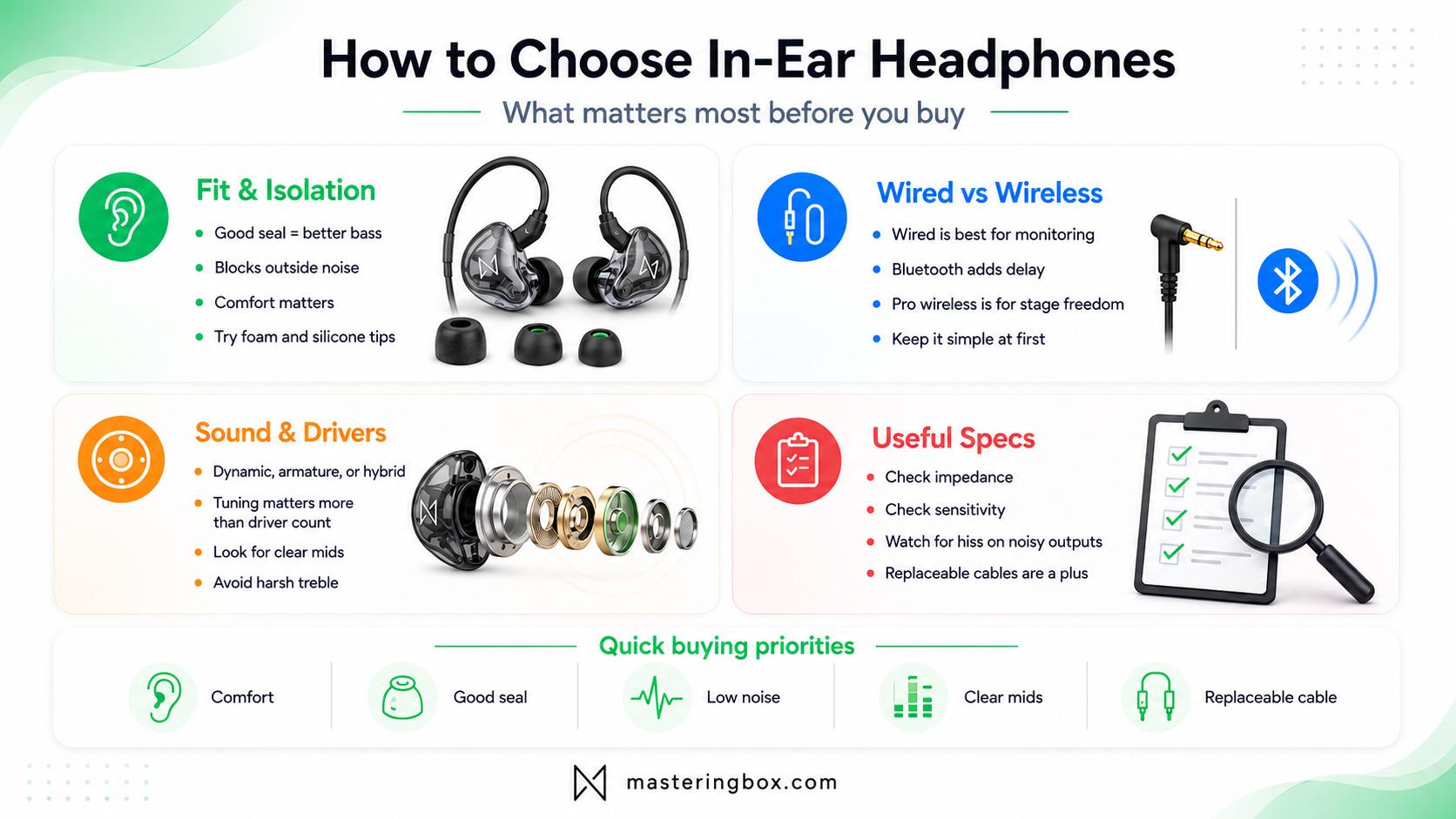
Shopping for In-Ear Headphones can become confusing because product pages emphasise driver counts, crossovers, sensitivity, impedance, and extreme frequency ranges. Some of these details are useful, but your priorities should be simpler:
- Comfortable and reliable fit
- Appropriate sound balance
- Wired or professional low-latency operation
- Clean compatibility with your equipment
- Replaceable parts and sensible build quality
Wired, Bluetooth, and Professional In-Ear Monitoring Wireless Systems
For recording, broadcasting, and critical monitoring, wired IEMs are normally the safest option.
A wired connection introduces no Bluetooth codec delay, requires no battery inside the earphones, and connects directly to an audio interface, recorder, headphone amplifier, or wireless bodypack.
Consumer Bluetooth earphones are convenient for listening, but they are less suitable for monitoring your own live voice or instrument. The signal must be encoded, transmitted, received, and decoded, creating latency. Sony confirms that Bluetooth playback can produce a noticeable delay, depending on the equipment and audio format.
A delay that seems insignificant while playing music can become distracting when speaking, singing, or performing in time.
Professional wireless IEM systems are different from consumer Bluetooth earbuds. They use dedicated transmitters and bodypack receivers designed for live monitoring. They provide greater control over routing, range, frequencies, and output level.
For a first setup, wired monitoring is simpler and more affordable. Move to a professional wireless system when freedom of movement is genuinely necessary.
Driver Types and Sound Quality
The two most common IEM driver technologies are dynamic drivers and balanced armatures. Hybrid models combine multiple driver types.
Dynamic drivers operate similarly to miniature loudspeakers. They are often associated with convincing bass extension, although the final result depends on the complete acoustic design.
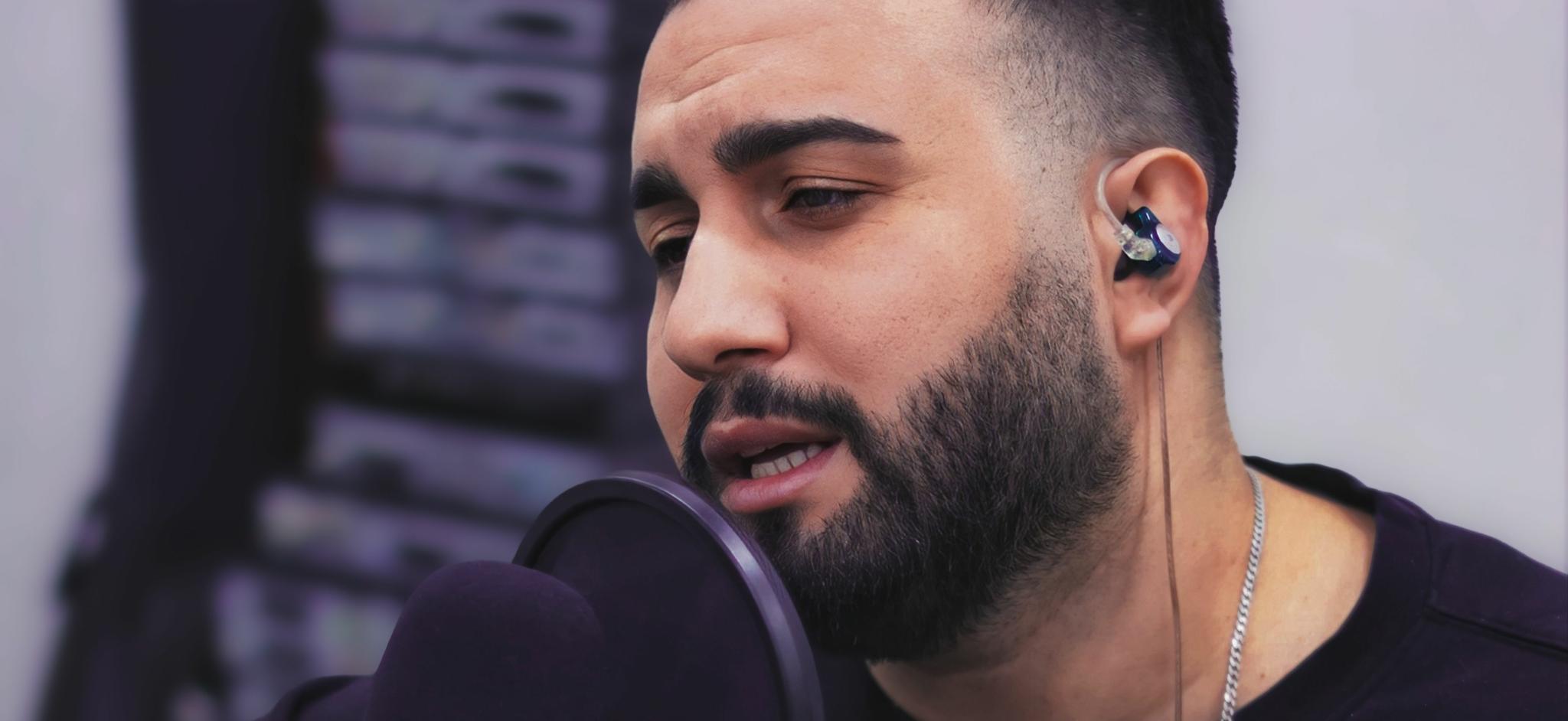
Balanced armature drivers are small and efficient. Manufacturers can use several of them inside one shell and assign different drivers to different frequency regions. Knowles provides a technical introduction to balanced armature technology in compact earphones.
Hybrid models may use a dynamic driver for bass and balanced armatures for the midrange and treble.
However, driver count is not a quality score. More drivers require more crossovers and acoustic paths, creating additional opportunities for level, phase, and integration problems.
A well-designed single-driver IEM can sound more natural than a poorly tuned model containing six or eight drivers. For monitoring, prioritise:
- Clear and present midrange
- Controlled bass
- Treble that reveals detail without becoming painful
- Low distortion
- Consistent sound between both earpieces
- A presentation you can learn over time
An exaggerated bass response may cause you to under-mix low frequencies. Recessed mids can hide vocal problems, while aggressive treble can exaggerate sibilance and cause fatigue.
No IEM will sound perfectly neutral in every ear. Eartips, insertion depth, and the shape of your ear canal all affect the result. The goal is to find a pair that sounds predictable to you.
Impedance, Sensitivity, and Source Noise
Many IEMs have low impedance and high sensitivity. This makes them easy to drive from interfaces, portable recorders, headphone amplifiers, and bodypacks.
However, highly sensitive models can expose noise from the headphone output. A device that sounds silent through large studio headphones may produce audible hiss through sensitive IEMs. More amplifier power is not necessarily useful. A good source should provide:
- A low noise floor
- Enough power without excessive gain
- Smooth volume adjustment
- Similar output in both channels
- No distortion at normal listening levels
You should be able to reach a comfortable level without keeping the volume control almost completely closed. When the entire useful range is packed into the first few millimetres of the knob, accidental level jumps become more likely.
Published frequency ranges are less helpful. A specification such as 10 Hz to 30 kHz does not tell you whether the response is balanced. It only describes the outer limits at which the manufacturer measured some output.
The shape of the frequency response matters far more than the widest number on the box.
Cables and Connectors
Cables are less exciting than drivers, but they are often the first component to fail. A practical IEM cable should:
- Route securely over the ear
- Produce little handling noise
- Include useful strain relief
- Remain flexible during use
- Be long enough for the intended setup
- Use replaceable connectors when possible
MMCX and two-pin connectors are both common. Neither system is universally superior, but replacement cables should be easy to obtain.
Check the plug as well. Many IEMs use a 3.5 mm connector, while professional interfaces and headphone amplifiers often provide 6.35 mm outputs. Use a solid adapter rather than several loose converters joined together.
How to Set Up In-Ear Headphones
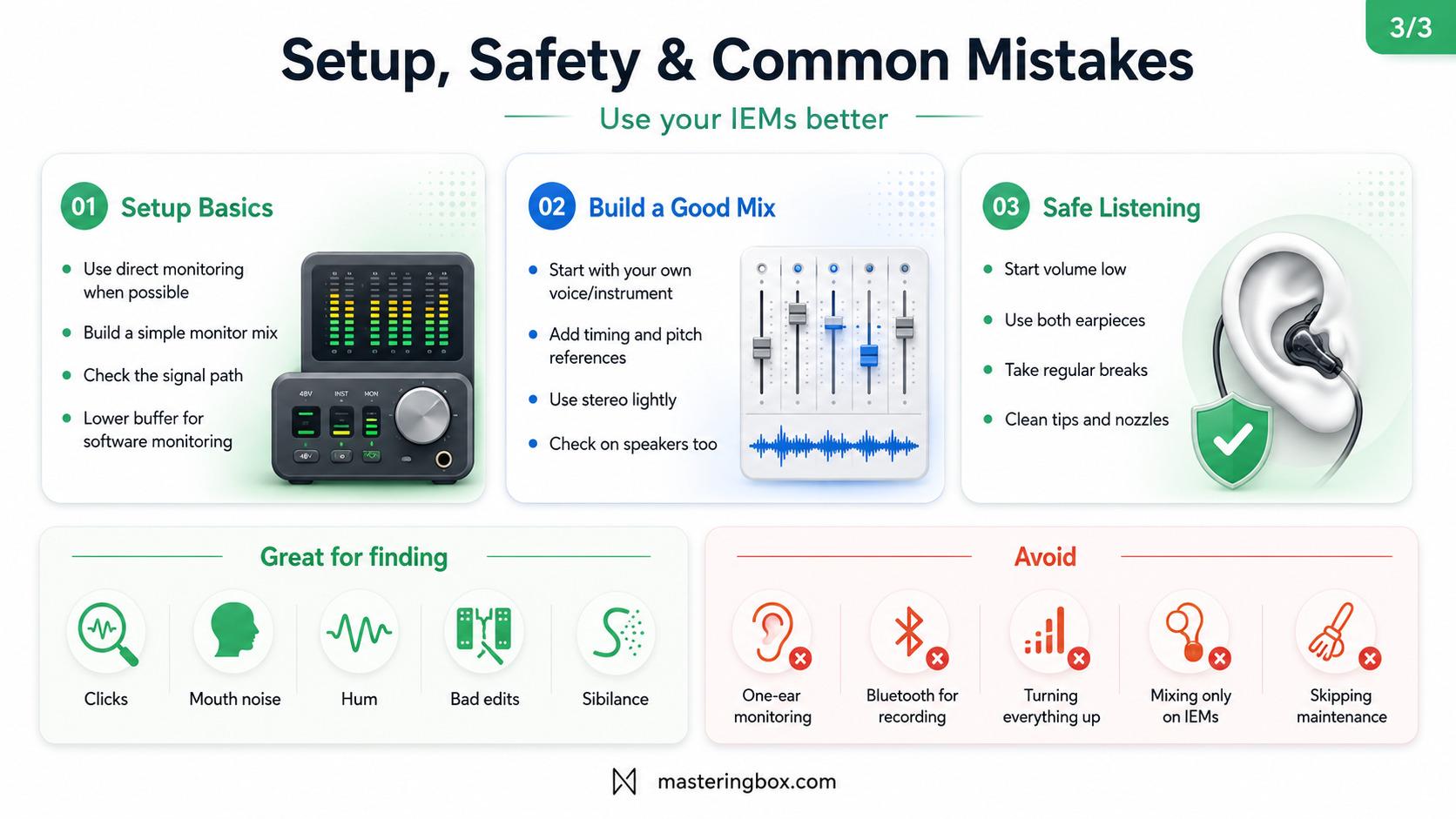
Good IEMs can still sound terrible when the routing, gain staging, latency, or monitor balance is wrong. A reliable setup starts with understanding the signal path:
Microphone or instrument → mixer, interface, or recorder → monitor mix → headphone output or bodypack → In-Ear Headphones
Each stage should have enough level without clipping, excessive noise, or unnecessary processing.
Use Direct Monitoring When Latency Matters
When recording a voice or instrument, hearing yourself with delay can be extremely distracting.
Direct monitoring routes the input through the interface or recorder to the headphone output without waiting for the computer to process and return it. Focusrite’s explanation of direct monitoring and near-zero-latency routing provides a useful overview.
Check whether software monitoring is active at the same time. When both direct and software paths are audible, the performer may hear two versions of the signal: one immediately and another after a short delay. This can create:
- Echo
- A doubled voice
- Comb filtering
- Unclear pitch
- Difficulty speaking naturally
Use one monitoring path unless you intentionally need both. Software monitoring is useful when performers need plug-ins such as amp simulation, virtual instruments, pitch effects, or reverb. In that case, reduce the audio buffer during recording and disable high-latency processors.
Look-ahead limiters, linear-phase EQ, restoration tools, and heavy oversampling can add significant delay. Once recording is finished, increase the buffer again to give the computer more processing headroom.
Build a Useful Monitor Mix
A monitor mix is not simply a quieter copy of the main mix. Its purpose is to help the listener perform or communicate confidently.
PreSonus offers a practical explanation of creating and routing an auxiliary monitor mix. A simple approach is:
- Begin with the listener’s own voice or instrument.
- Add the main timing reference.
- Add the main pitch or harmonic reference.
- Add other essential performers or speakers.
- Add effects only when they improve comfort or performance.
- Remove anything that makes the mix crowded.
- Raise the overall volume only after improving the balance.
The exact contents depend on the application. A singer may need vocals, keyboard, bass, and a clear rhythmic reference. A drummer may need bass, vocals, and click. A podcast host normally needs their own voice, the guest, remote-call audio, and any music or effects being introduced. A studio musician may need the backing track, click, and a small amount of reverb.
The important principle remains the same: include what helps and remove what distracts.
Mono, Stereo, and Ambient Sound
Mono monitor mixes require fewer outputs and are often enough for simple setups. Stereo can improve separation. Instead of turning every source up, you can position elements slightly left or right. Keep essential information such as the performer’s own signal, lead vocal, kick, bass, and click reasonably close to the centre.
Avoid extreme panning. Placing an important instrument entirely in one ear can feel unnatural and becomes risky if that earpiece loses its seal.
Strong isolation can also make musicians or presenters feel disconnected from the room. Some users respond by removing one earpiece, but this creates an uneven balance between the monitor signal and the external sound.
For live performance, ambient microphones are usually a better solution. Add a controlled amount of room or audience sound to the monitor mix while keeping both earpieces in place.
For podcasting or broadcasting, the equivalent may be a carefully controlled room microphone or talkback channel. Avoid adding so much ambience that it defeats the isolation and creates a confusing mix.
Check Important Decisions Elsewhere
IEMs are excellent for detecting:
- Clicks and bad edits
- Mouth noise
- Background hum
- Distorted consonants
- Poor crossfades
- Timing differences
- Harsh sibilance
- Abrupt reverb tails
However, they should not be your only reference for final mixing decisions. Check the result on speakers or another familiar playback system, especially when judging:
- Vocal level
- Kick and bass balance
- Stereo width
- Reverb depth
- Centre placement
- Overall brightness
- Sub-bass extension
A mix that only works through one pair of In-Ear Headphones is not finished.
Safe Listening and Maintenance
Isolation can make it possible to monitor at a lower level because you are not fighting as much external noise. It does not automatically make listening safe.
IEMs can still produce harmful sound levels, particularly when connected to powerful headphone amplifiers or professional bodypacks.
The World Health Organization’s safe-listening guidance uses 80 dB for up to 40 hours per week as an adult reference. As the sound level rises, the recommended exposure time falls quickly. ed to calculate every session precisely, but you should develop conservative habits:
- Start with the volume fully down.
- Increase it only until the mix becomes clear.
- Fix harsh frequencies rather than raising the entire mix.
- Use both earpieces.
- Take regular quiet breaks.
- Use output limiting where available.
- Avoid competing with loud speakers or amplifiers.
- Stop when you experience ringing, pain, or muffled hearing.
Ringing ears after a session are a warning, not a normal part of working with music.
Cleaning Your In-Ear Headphones
Earwax, moisture, and skin oils can block the nozzle or acoustic filter. This may make one side sound quieter or remove treble.
Before assuming a driver has failed, inspect and clean the earpiece according to the manufacturer’s instructions. Basic maintenance includes:
- Wiping the shells after use
- Cleaning reusable silicone tips
- Replacing worn foam tips
- Removing wax carefully with the supplied tool
- Letting the earpieces dry before storage
- Using a protective case
- Checking the cable and connectors
- Gripping the connector rather than pulling the wire
Do not push debris deeper into the nozzle or pour cleaning liquid into the earpiece.
Common In-Ear Headphone Mistakes
Most IEM problems come from fit or setup rather than the basic technology. Avoid these common mistakes:
- Using the wrong eartips: A poor seal reduces bass and isolation.
- Monitoring with one earpiece: This creates an uneven and potentially unsafe listening balance.
- Using consumer Bluetooth for recording: Latency can make speaking or performing uncomfortable.
- Buying based on driver count: More drivers do not guarantee better tuning.
- Turning everything up: Removing unnecessary sources often improves clarity more effectively.
- Running direct and software monitoring together: This can create echo or doubling.
- Ignoring source noise: Sensitive IEMs may reveal hiss from interfaces and bodypacks.
- Mixing exclusively on IEMs: Always confirm major decisions on another system.
- Skipping maintenance: A blocked nozzle can sound like a broken driver.
- Starting at a high volume: Always turn the output down before inserting or connecting the earpieces.
Final Thoughts on In-Ear Headphones
In-Ear Headphones are useful anywhere you need private, detailed, and isolated monitoring.
They can help musicians hear clearly on a loud stage, keep podcast and broadcast playback out of microphones, reduce click-track bleed during recording, and reveal small problems during editing.
Their effectiveness depends heavily on fit. A modest universal IEM with suitable eartips can be more useful than an expensive model that never seals correctly.
Start with a reliable wired pair. Test several eartip sizes and materials. Learn the sound with familiar recordings. Build simple monitor mixes, use direct monitoring when latency becomes distracting, and keep listening levels conservative.
The best In-Ear Monitors are not necessarily the ones with the most drivers or the widest specification sheet. They are the ones that remain comfortable, sound consistent, and help you make better decisions.
O autorze

Dídac
CEO i założyciel MasteringBOXDídac to profesjonalny inżynier dźwięku, producent muzyczny oraz inżynier oprogramowania. Jest założycielem MasteringBOX i autorem wielu artykułów na blogu.
Zostaw komentarz
Zaloguj się, aby skomentować


 English
 Español
 Français
 Italiano
 Deutsch
 Português
 Nederlands
 Svenska
 Polski
 Čeština