

Landing your first DJ gig is exciting, but it can also make you question everything. Do you have enough music? Will your USB work? What happens if the equipment is different from your setup at home?
Fortunately, most first-gig problems are predictable. With the right preparation, you can avoid technical surprises and focus on the important part: playing music that works for the room.
This guide covers the essential equipment, music preparation, venue logistics, mindset, soundcheck routine, and backup plans you need to approach your first live performance with confidence.
Table of Contents
- Equipment Essentials for Your First DJ Gig
- Planning Music for Your First DJ Gig
- Venue Logistics Before a DJ Gig
- Checking the Venue Setup
- Mindset for Your First DJ Gig
- Reading and Engaging the Crowd
- Final Checklist for Your First DJ Gig
- Final Tests Before Leaving Home
- What to Check Before Starting Your Set
- Your First DJ Gig Is the Beginning
Equipment Essentials for Your First DJ Gig
Your equipment checklist depends on whether you will use your own controller or the venue’s DJ setup. Therefore, never assume the venue provides something unless the promoter has confirmed it.
First, ask for the exact equipment models before the event. “We have Pioneer decks” is not specific enough. You need to know which players, mixer, connections, and software integrations are available.
Many clubs use a two-player-and-mixer layout similar to the systems described in Pioneer DJ’s beginner guide to DJ equipment. However, smaller bars, private parties, and community venues may have very different setups.
Core DJ Equipment
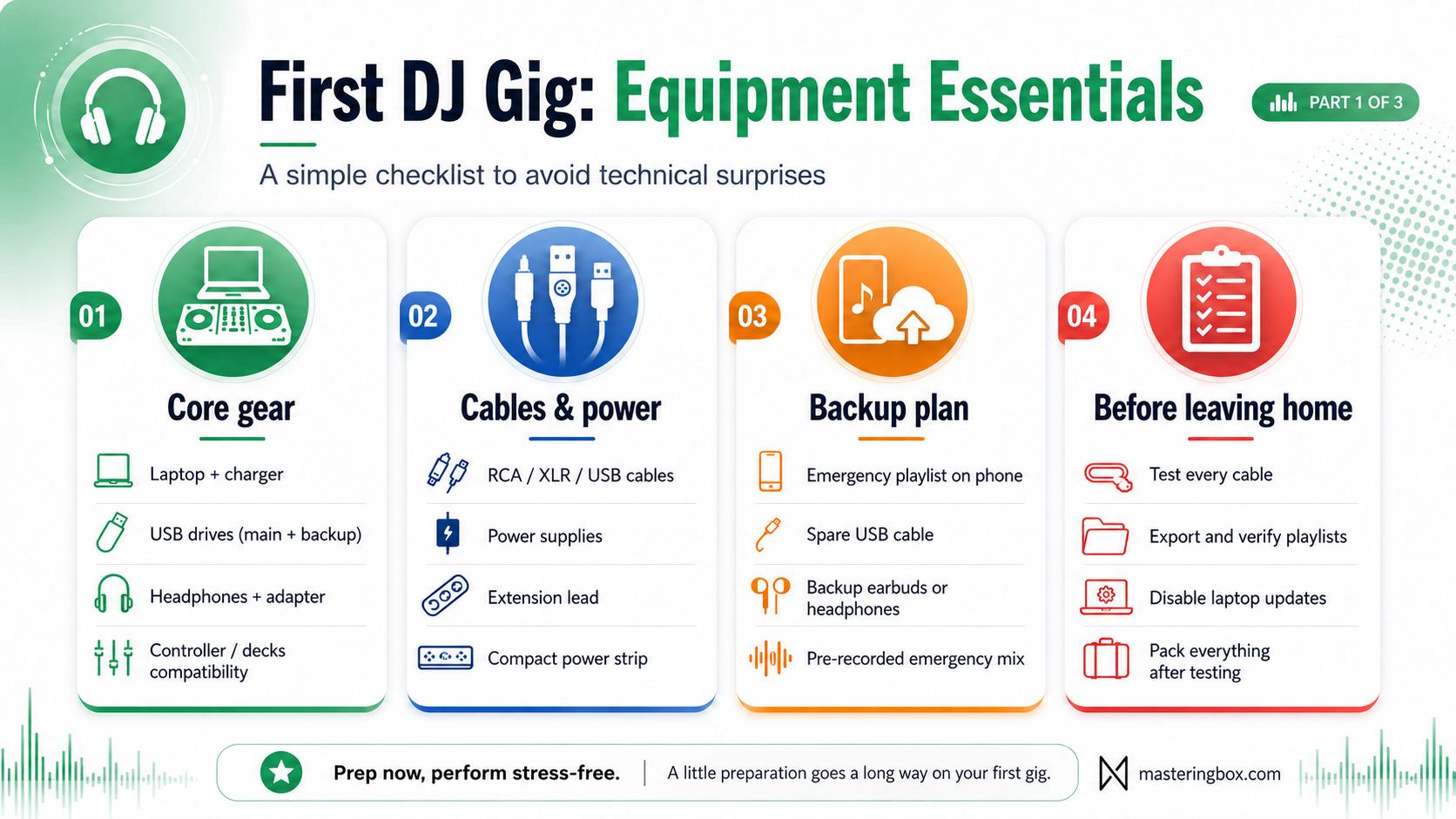
Your main DJ equipment should match the setup you have agreed to use at the venue. In addition, every essential item should be tested before you pack it.
- Decks, controller, or mixer: Confirm whether you are bringing your own controller or using the venue’s players and mixer. If you bring a controller, check that there is enough booth space for it.
- Laptop and software: Bring your laptop fully charged, along with its original power adapter. Also, disable automatic updates, sleep mode, notifications, and unnecessary background applications before the event.
- Laptop stand: Bring one when your setup requires it. After all, you cannot assume the venue will have a safe place to position your computer.
- Music storage: Carry at least two USB drives containing the same exported library. Ideally, store them separately so you do not lose both at once.
- Headphones: Use headphones you already know and trust. Furthermore, pack the correct 3.5 mm to 6.35 mm adapter, even when your headphones include one permanently.
Cables, Power, and Accessories
Small accessories are easy to overlook. Nevertheless, a missing adapter or faulty cable can stop an otherwise complete setup from working.
- Audio cables: Bring the cables required by your setup, such as RCA, XLR, TRS, USB-B, or USB-C cables.
- Power equipment: Pack your power supplies, an extension lead, and a compact power strip. In addition, label your adapters when several devices use similar connectors.
- Protective cases: Use a padded bag or case for your controller, laptop, headphones, and drives.
- Small accessories: Gaffer tape, cable ties, a flashlight, and a basic multitool can solve surprisingly common booth problems.
Most importantly, test every cable before leaving home. A cable that “worked last month” is not a reliable backup plan.
Backup Gear
Your backup setup does not need to reproduce your full performance system. Instead, it only needs to keep music playing while you solve the problem.
Start with the most likely points of failure:
- Carry two independently tested USB drives.
- Keep copies of your music on your laptop.
- Store an emergency playlist or pre-recorded mix on your phone.
- Bring a wired audio adapter for your phone.
- Pack a second USB cable for your controller.
- Carry inexpensive backup headphones or wired earbuds.
- Bring spare cartridges and needles if you perform with turntables.
- Keep a portable battery available for your phone.
A pre-recorded emergency mix is especially useful. For example, it can give you 15 or 20 minutes to restart a laptop, replace a cable, or speak to the sound technician without leaving the room silent.
However, make sure the emergency file is downloaded locally. A streaming playlist is not a dependable backup inside a crowded venue with weak mobile coverage.
Planning Music for Your First DJ Gig
A successful DJ gig is not simply a sequence of technically perfect transitions. Instead, it is a controlled journey through different energy levels.
Prepare more music than you expect to play. For a one-hour set, having two or three hours of suitable music gives you enough flexibility to respond to the crowd without searching through your entire library.
Build Flexible Playlists
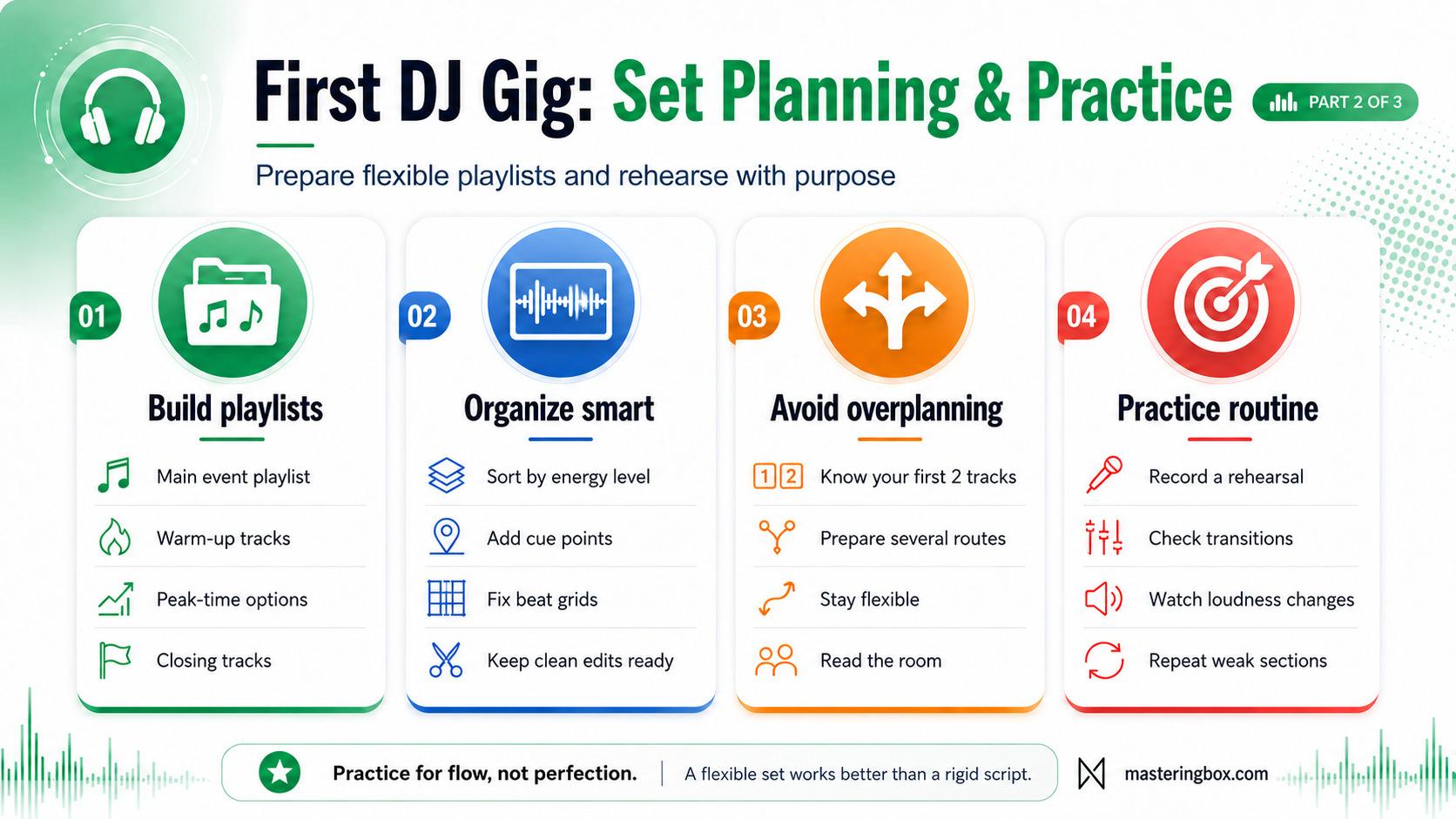
Create one main playlist for the event. Then, prepare several smaller alternatives so you can change direction when necessary.
Useful playlist categories include:
- Lower-energy warm-up tracks
- Familiar crowd-friendly tracks
- Higher-energy peak-time tracks
- Alternative genres that still fit the event
- Closing tracks
- Emergency tracks that are easy to mix
However, do not fill these playlists with music you barely know. A smaller library of familiar tracks is more useful than hundreds of songs you cannot remember.
- Choose tracks for the room: A small bar, wedding, underground club, and daytime festival require very different energy levels.
- Check your time slot: An opening DJ should usually leave room for the night to grow. By contrast, a closing DJ may need to maintain the energy or bring the event down smoothly.
- Organize by energy: Rating tracks from low to high energy can be more useful than sorting them only by genre.
- Add useful cue points: Mark intros, breakdowns, vocal entrances, drops, and safe exit points.
- Check beat grids: Correct grids are especially important when you use loops, quantization, synchronized effects, or the sync function.
- Prepare flexible combinations: Practice groups of two or three tracks that work well together instead of memorizing one fixed set from beginning to end.
- Check explicit content: Finally, ask whether radio edits or clean versions are required.
Avoid Overplanning Your Set
It may feel safer to plan every track in an exact order. However, a fully scripted set can become a problem when the audience responds differently from what you expected.
Instead, prepare several possible routes. For instance, you might know your opening two tracks, a few reliable combinations, several energy-reset tracks, and a strong closing option. Everything between those points can remain flexible.
This approach gives you structure without locking you into a plan that no longer suits the room.
Record and Review a Practice Set
Recording a rehearsal is one of the best ways to prepare for your first DJ gig. More importantly, it lets you hear the performance as a listener rather than as the person operating the equipment.
Listen for problems such as:
- Bass frequencies clashing during transitions
- Vocals overlapping awkwardly
- Energy dropping too quickly
- Effects being used too often
- Tracks playing for too long
- Sudden changes in loudness
- Transitions that make sense technically but feel wrong musically
Do not judge the recording only by whether each beat stayed aligned. Instead, pay attention to whether the set feels enjoyable from a listener’s perspective.
Once you find a problem, practise that part again. Then, record another version and compare the results. As a result, you will arrive with a clearer understanding of your music and fewer technical surprises.
Venue Logistics Before a DJ Gig
Good logistics reduce stress before you enter the booth. Therefore, confirm the important details several days before the event rather than sending urgent questions a few hours before your set.
Questions to Ask the Promoter
A short conversation with the promoter can prevent several common problems. Before the event, ask:
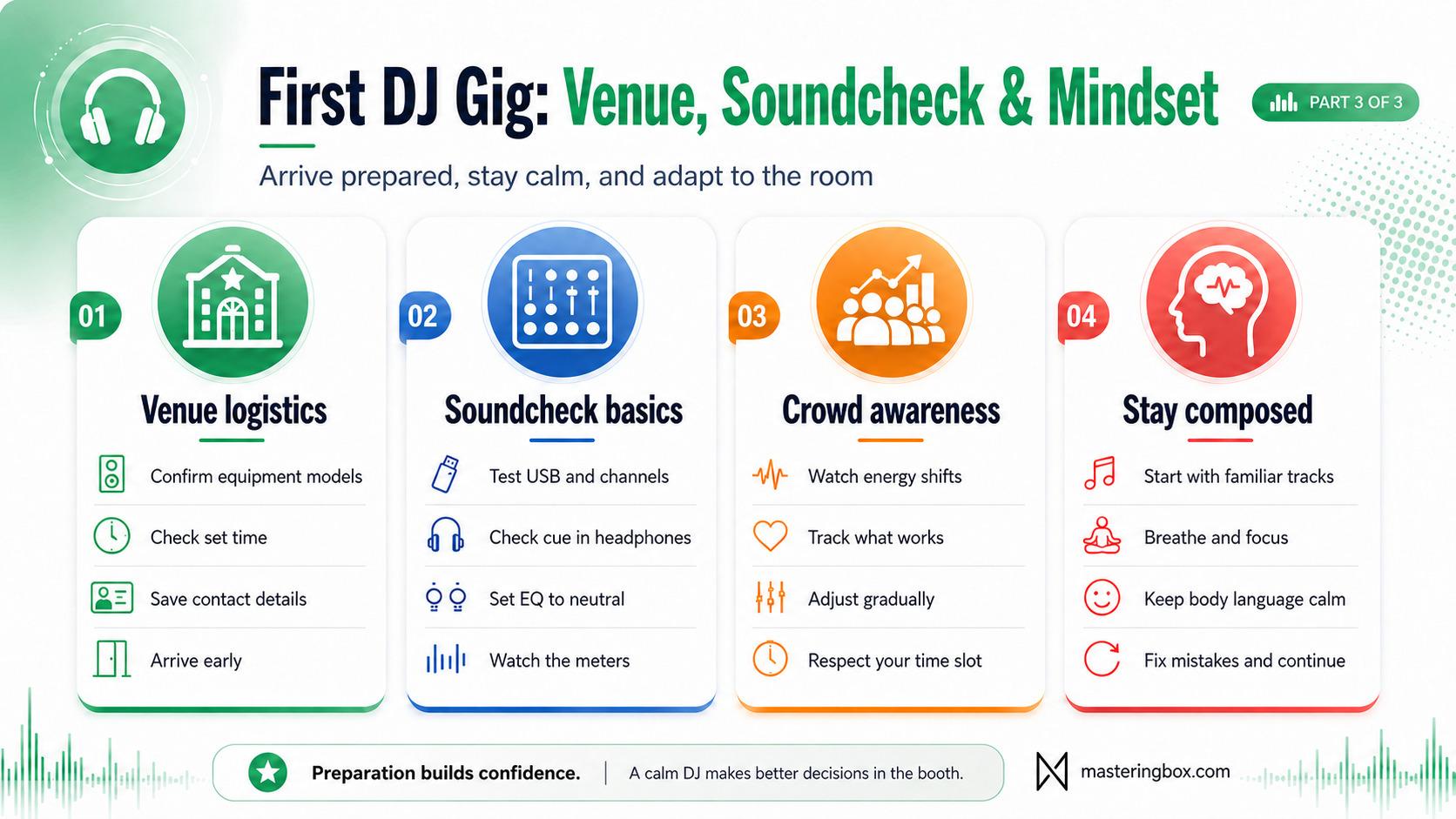
- What equipment will be available?
- What are the exact equipment models?
- Can you bring your own controller?
- What connection will you use?
- How much booth space is available?
- Is there a sound technician?
- What time should you arrive?
- What time does your set start and finish?
- Who is playing before and after you?
- Is there a dress code?
- How and when will you be paid?
- Are there any musical restrictions?
- Is parking or equipment access available?
Afterward, save the venue address, contact number, set time, and arrival instructions somewhere accessible offline.
Plan Your Arrival
Plan your journey with extra time for traffic, parking, loading equipment, and finding the correct entrance. In other words, arriving exactly when your set begins is already late.
When you arrive, introduce yourself to the promoter, sound technician, and the DJ performing before you. Be friendly and keep your equipment out of the way until it is time to connect.
A calm arrival gives you time to inspect the booth and solve small issues. On the other hand, arriving late forces you to make important technical decisions under pressure.
Checking the Venue Setup
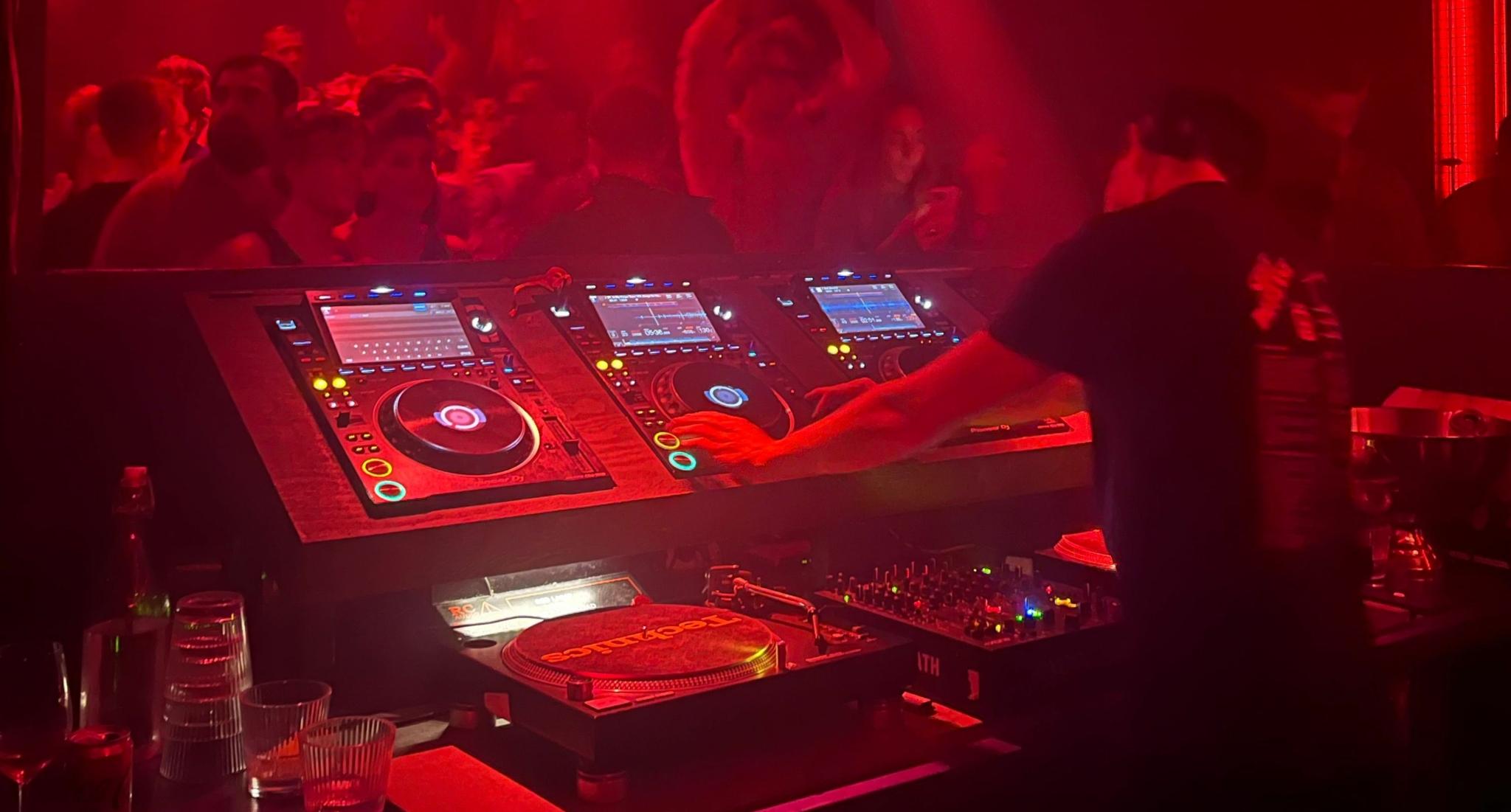
Once you reach the booth, compare the real equipment with the information you received beforehand. Even when the models are correct, the channel assignments and cable routing may be different from what you expected.
Inspect the Booth
Work through the setup methodically:
- Assess the setup: Compare the real booth with the equipment information you received beforehand.
- Locate important controls: Find the booth monitor, headphone mix, channel input selectors, trims, filters, crossfader assignments, and master meters.
- Check your media: Load several tracks from each USB and verify that playlists, waveforms, cue points, and track information appear correctly.
- Inspect the channels: Confirm that the channels you will use are set to the correct input type.
- Check the crossfader: A channel can appear active while producing no sound because of an unexpected crossfader assignment.
- Check effects and filters: Make sure the previous DJ has not left an effect, filter, or extreme EQ setting active.
- Secure your cables: Keep power and audio connections away from drinks and areas where people may pull or step on them.
Above all, avoid reaching across the current DJ or unplugging equipment during their performance. Instead, coordinate the changeover calmly.
A rushed changeover is more likely to cause problems than unfamiliar equipment.
Perform a Practical Line Check
DJs do not always receive a full soundcheck. In many cases, you will only have enough time to verify that your music loads correctly and that each channel passes audio.
Use a familiar reference track during this check. Choose something with a balanced low end, clear percussion, and a vocal or lead element you know well.
Test the following:
- Load the track from your primary USB.
- Cue it in your headphones.
- Confirm the waveform and cue points loaded correctly.
- Check the channel input selector.
- Set the channel EQ controls to neutral.
- Confirm the filter is centered.
- Raise the channel fader carefully.
- Check the booth monitor.
- Watch the channel and master meters.
- Repeat the process on another player or channel.
However, do not turn the master output up without permission. The sound technician may already have set the correct level for the system.
Understand the Empty Room
The room may sound brighter, bassier, or more reflective while it is empty. Once people enter, their bodies absorb some high-frequency energy and change how the room behaves.
Therefore, avoid making aggressive EQ adjustments based only on an empty-room check. Instead, start from a neutral position and make small adjustments once your set begins.
For a broader performance perspective, the preparation principles in this soundcheck guide for musicians also apply to DJs: arrive prepared, communicate clearly, and avoid letting frustration take control.
Mindset for Your First DJ Gig
Your first DJ gig will probably include nerves. However, that does not mean you are unprepared. It simply means you care about the result.
The goal is not to eliminate every nervous feeling. Instead, the goal is to stop those feelings from controlling your decisions.
Create a Pre-Set Routine
Before your set, use a short routine:
- Drink some water.
- Take several slow breaths.
- Stretch your shoulders and hands.
- Check your opening track.
- Confirm your headphones and USB are ready.
- Put your phone away unless it is needed for the performance.
- Remind yourself that one imperfect transition will not ruin the night.
Then, start with music you understand well. Your first few tracks should allow you to settle into the booth rather than immediately attempting your most complicated routines.
A familiar opening also reduces the number of decisions you need to make during the most nervous part of the performance.
Respond Calmly to Mistakes
Eventually, something small may go wrong. You might load the wrong track, miss a cue point, or make a transition that sounds rougher than expected.
When that happens, avoid making several rushed corrections at once. Instead, simplify the mix, bring in a reliable track, and continue.
Most people in the audience are not studying your technique. They are listening to the music, talking to friends, dancing, or enjoying the atmosphere.
Therefore, your reaction often matters more than the original mistake. Calm body language makes a small problem look temporary, while visible panic can draw attention to it.
Reading and Engaging the Crowd
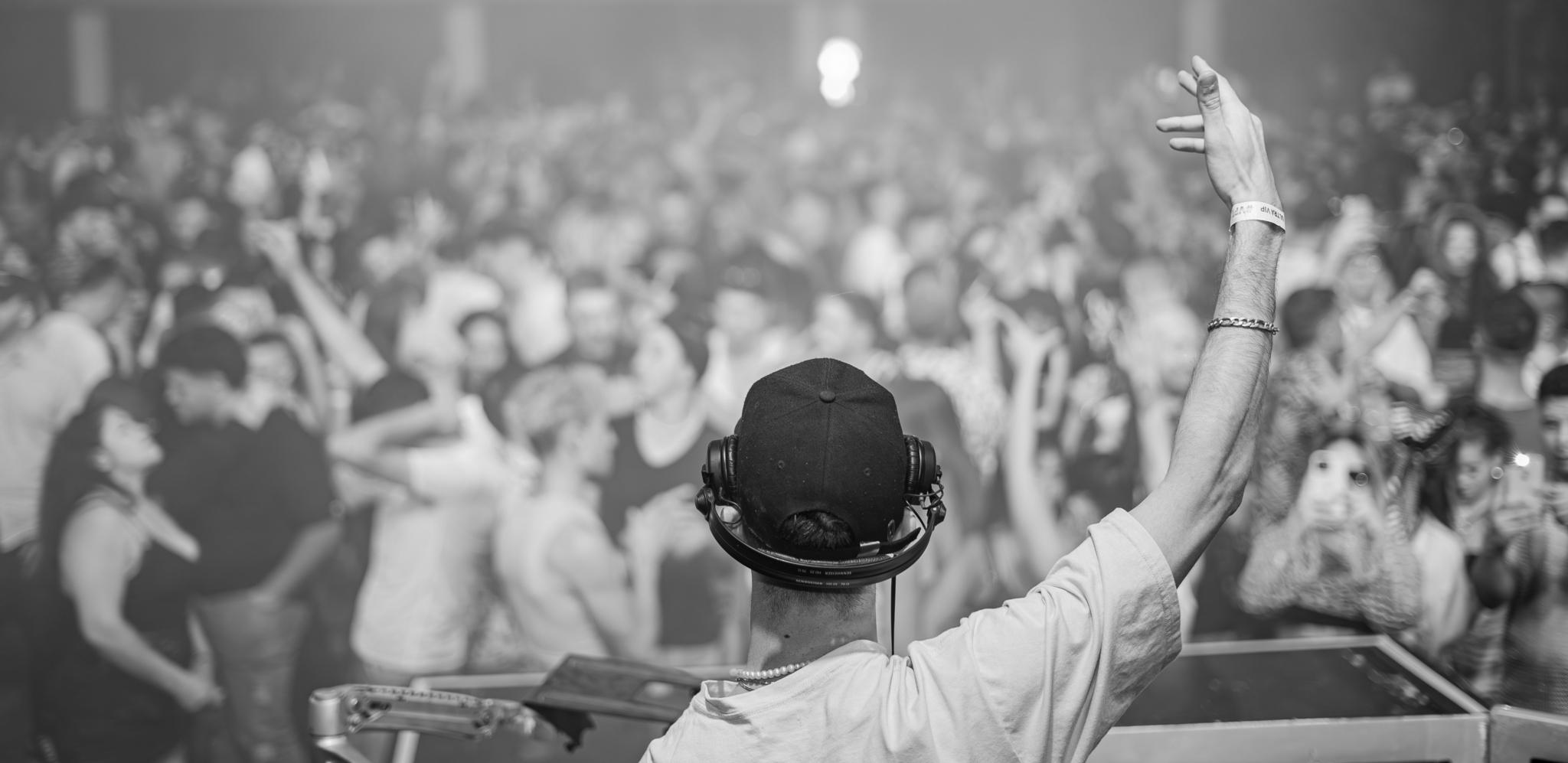
Crowd reading is not a special instinct that experienced DJs are born with. Instead, it is a practical skill you develop by watching how the room reacts over several tracks.
Look for Wider Patterns
Watch the audience without staring at individuals. In particular, look for wider patterns:
- Are more people moving toward or away from the dance floor?
- Are people dancing or mainly talking?
- Did the previous track increase or reduce movement?
- Are familiar tracks working better than unknown music?
- Is the crowd responding to vocals, rhythm, bass, or nostalgia?
- Does the room need more energy, or does it need space to breathe?
However, do not change direction after one person leaves the dance floor. Crowd reading is about trends, not isolated reactions.
Give a musical direction enough time to work. Nevertheless, do not continue forcing it when several tracks receive the same weak response.
Keep Your Performance Natural
You do not need to behave like a festival headliner during your first performance. Instead, focus on being comfortable and present.
- Stay adaptable: Change direction when the room consistently responds better to another style.
- Keep transitions purposeful: A simple transition into the right track is better than a complex transition into the wrong one.
- Use effects carefully: Effects sound much more dramatic on a large sound system than they do on bedroom speakers.
- Respect the time slot: Avoid playing every biggest track during an opening set.
- Watch your levels: Do not keep increasing the gain because the previous DJ played loudly.
- Acknowledge mistakes calmly: Correct the problem and continue.
- Interact naturally: Eye contact, a smile, or a small gesture is often enough.
Ultimately, you are there to guide the room, not to prove how many techniques you can use at once.
Final Checklist for Your First DJ Gig
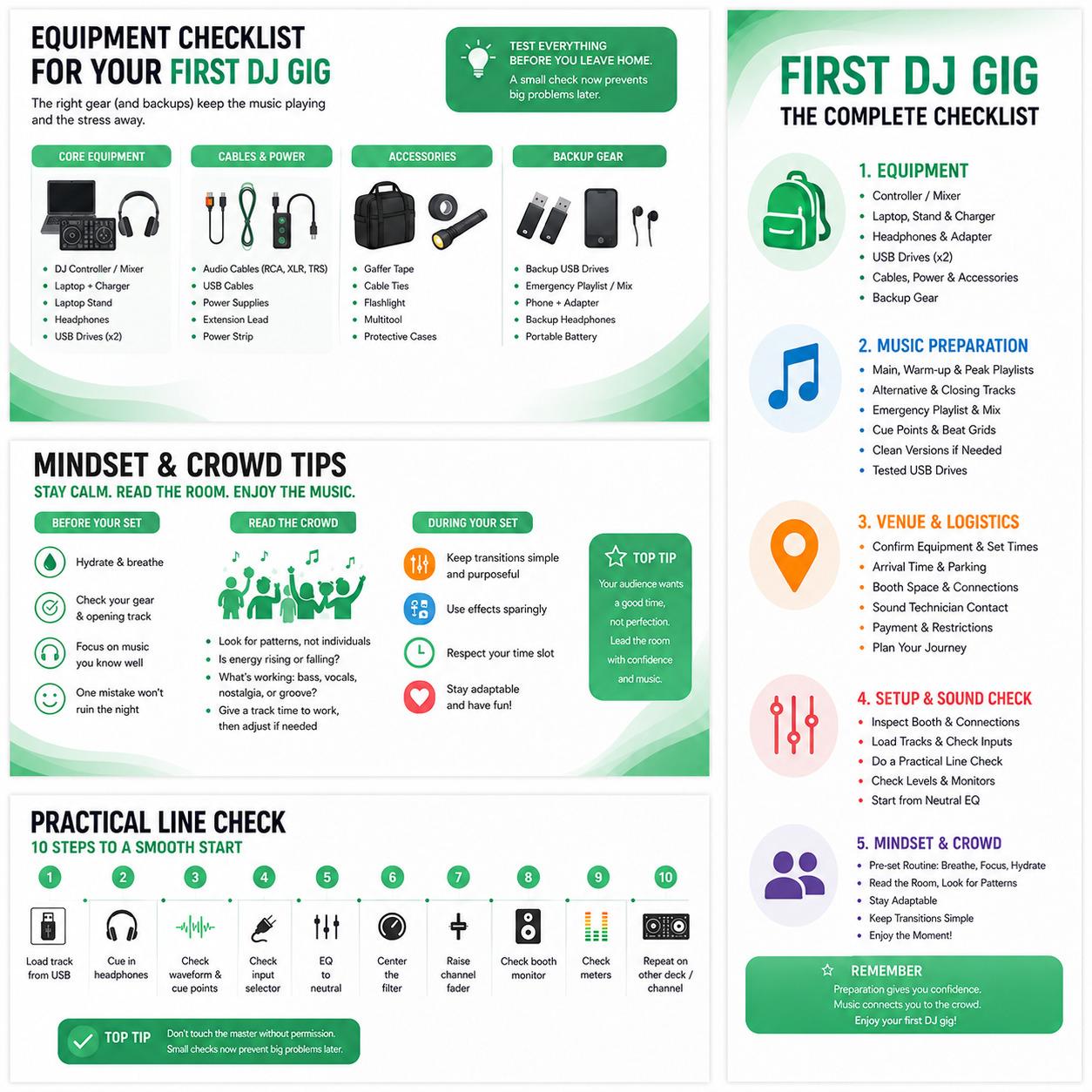
Run through this final check on the day of the event. After all, it is much better to discover a missing cable at home than inside a dark DJ booth.
Equipment
Pack your main setup and the backups needed to keep the music playing. Depending on the venue, this may include your DJ controller, laptop, charger, laptop stand, headphones, adapters, and two tested USB drives. Also bring the necessary audio and USB cables, power supplies, an extension lead, and a power strip. A few small extras, such as gaffer tape, cable ties, a flashlight, a phone audio adapter, and a basic multitool, can be extremely useful when the booth setup is not exactly as expected.
Music Preparation
Make sure your library is fully organized before you leave. Prepare your main playlist, warm-up and higher-energy options, alternative tracks, closing music, and an emergency playlist. Check your beat grids and cue points, export clean versions where required, and test both USB drives on compatible equipment. In addition, keep an offline backup on your phone and consider carrying a pre-recorded emergency mix in case you need time to solve a technical problem.
Logistics
Review all practical details before heading to the venue. Save the address and promoter’s contact information, confirm your arrival and set times, and double-check the available equipment. You should also plan your transport, parking, or loading access in advance. Finally, confirm the payment arrangements, dress code, and any musical restrictions so there are no last-minute surprises.
Personal Essentials
Bring the personal items you need to stay comfortable and focused throughout the event. This includes your phone, charger or battery pack, identification, keys, wallet, water, a light snack, and any essential medication. Comfortable clothing and footwear also matter, especially when you may be standing for several hours.
Hearing protection should be part of your standard DJ kit. Proper musician’s earplugs reduce sound levels more evenly than basic foam plugs, so you can protect your hearing while still judging the overall balance of the music.
Final Tests Before Leaving Home
Perform one final system test using the exact equipment and cables you plan to bring.
Play music for several minutes. Then, test both channels, the headphone output, your USB drives, and every cable. Once an item passes the test, pack it immediately.
In addition, avoid updating your DJ software, operating system, firmware, or music library immediately before the event. Last-minute changes can create compatibility problems, reset settings, or force unexpected library analysis.
What to Check Before Starting Your Set
Arrive early, introduce yourself, inspect the booth, and confirm the changeover process.
Next, prepare your first track before the previous DJ finishes. Match the outgoing energy unless you have agreed on a deliberate change of direction.
Before raising the incoming fader, confirm that:
- The correct track is loaded.
- The channel is assigned to the correct input.
- The gain is controlled.
- The EQ is neutral.
- The filter is centered.
- The crossfader assignment is correct.
- The track is playing through your headphones.
Then, take a breath and begin.
Your First DJ Gig Is the Beginning
Your first DJ gig does not need to be flawless to be successful. Instead, a successful first performance means you arrived prepared, avoided preventable technical problems, responded to the room, treated the staff professionally, and learned something useful.
You may make a transition you do not love. Similarly, you might choose a track that gets a weaker reaction than expected. The booth may feel unfamiliar, and the monitors may sound different from your home setup.
That is normal.
Ultimately, preparation gives you enough stability to handle those surprises. Test your equipment, know your music, bring backups, arrive early, protect your hearing, and stay flexible.
Once the music starts, stop trying to prove that you are technically impressive. Instead, listen to the room, choose the next track carefully, and enjoy the experience.
Your first crowd is not expecting perfection. They are waiting for you to give them a reason to keep listening.
Über die Autorin / den Autor

Dídac
CEO & Gründer von MasteringBOXDídac ist professioneller Audioingenieur, Musikproduzent und Softwareentwickler. Er ist der Gründer von MasteringBOX und Autor zahlreicher Artikel im Blog.
Hinterlasse einen Kommentar
Einloggen, um zu kommentieren
 English
 Español
 Français
 Italiano
 Deutsch
 Português
 Nederlands
 Svenska
 Polski
 Čeština